
Fundamentals & Getting Started
Retrofit cashless payment to a vending machine: MDB 4.3, costs and selection criteria
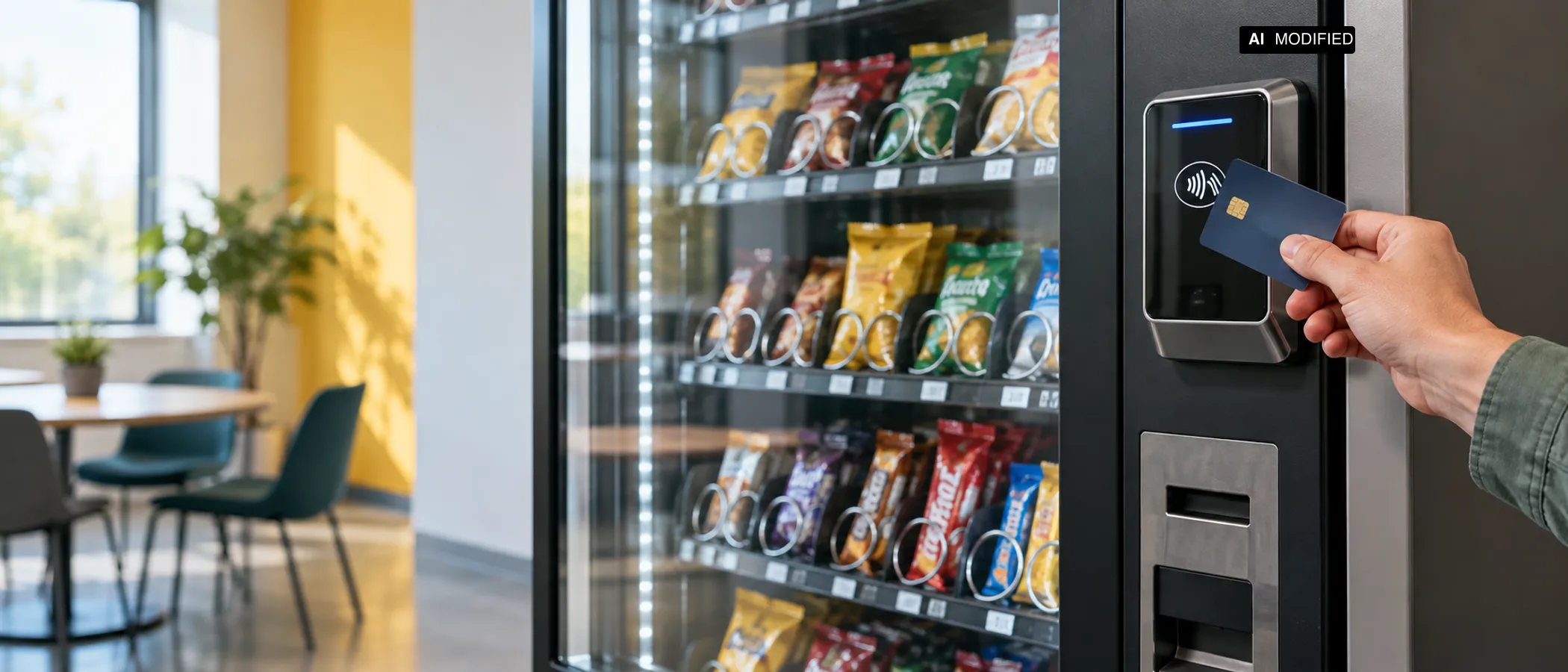 KI Modified
On this page
This article was created with AI assistance and checked automatically. No human review before publication is documented.
Cashless payment can be retrofitted to many vending machines if the existing Vending Machine Controller, firmware and payment terminal are compatible. Having a free MDB port is not enough. Before ordering, operators should therefore check the MDB version, supported functional levels, power supply, installation space and communications connection. The technical basis is usually MDB or ICP. MDB/ICP 4.3 is one potentially relevant specification revision. What matters, however, is which version and functional levels the specific Vending Machine Controller and its firmware, as well as the selected payment terminal, support, and whether the manufacturers approve that combination. Matching version numbers alone do not prove compatibility. The MDB documentation from Qibixx provides an overview of the protocol structure, while the MDB Cheat Sheet explains the communication between the machine and its peripheral device.
The choice of payment methods depends on more than the vending machine. Contact cards, contactless NFC payments, magnetic stripe, QR codes and prepaid cards are supported by different terminals and service providers. Nayax lists several cashless payment options for the VPOSM 4. Payter also lists various terminals and connection types in its product overview. Mobile networks, GSM/GPRS or LAN can connect the terminal to the payment service. The combination that will actually work must be confirmed for the specific terminal, acquirer, country and vending machine.
A general all-in price for a retrofit has not been publicly verified. Costs include the terminal, installation, cabling, possible adapters, connectivity, platform fees, transaction fees and maintenance. Providers such as Payter indicate configuration-dependent components in their order form. Operators should therefore request a written quote that separates one-off and recurring charges. Retrofitting a single machine may make technical sense if many customers want to pay without cash. For multiple machines, central telemetry, contract terms and compatibility across the entire fleet also matter.
What does MDB 4.3 mean for a retrofit?
MDB stands for Multi-Drop Bus and describes serial communication between the Vending Machine Controller and connected peripheral devices. The VMC controls the vending machine. The payment terminal registers on the bus as a Cashless Payment Device. The VMC transmits prices and transaction states, among other information. The terminal handles communication with the selected payment method and sends the result back to the machine. The Qibixx MDB documentation provides a technical introduction to this architecture.
MDB 4.3 is not the name of a particular card, app or payment service. The version describes protocol requirements and processes. For a retrofit to work, the machine controller and terminal must support the same or a compatible MDB implementation. The MDB/ICP document, version 4.3 documents the protocol version. However, the version number alone does not confirm that a specific vending machine will work with a specific terminal.
MDB Levels 1 to 3 govern different transaction flows. Level 1 can use pre-selection. The customer first selects a product. The machine then requests payment. For example: a bottle costs 2,00 euros. The customer presses the product button, the terminal requests payment, and the VMC releases the sale only after successful authorisation. Nayax describes this flow as a Pre-Selection or Push-to-Start scenario in its MDB Level 1 documentation.
With authorisation before product selection, the payment process can start earlier. The terminal is in standby mode, the customer presents a card or another payment method to the reader, and the machine can then accept the selection. The specific flow depends on the terminal and the agreed MDB functional level. The Market Pay overview describes MDB integrations and highlights the need to coordinate the VMC and terminal.
Levels 2 and 3 can support additional transaction flows and status information. Depending on the implementation, these may include pre-authorisation, sales status feedback or an additional payment. With an additional payment, an amount is authorised first. After the product is dispensed, the amount actually due can be confirmed or a difference processed. This is particularly relevant where the final price or sales status is not fully known before dispensing. Operators should not infer available functions from the level number. The Nayax explanation of MDB levels describes the different functional levels and their effects on the transaction flow.
For a retrofit, MDB 4.3 therefore needs to be checked at three levels. First, the VMC must support the protocol. Second, the terminal must offer the appropriate MDB implementation. Third, the desired payment logic, such as pre-selection or authorisation before selection, must actually be enabled and configured. A connector that fits mechanically does not replace these three checks.
Is the existing vending machine compatible?
Compatibility checks start with the Vending Machine Controller, not the card reader. Operators should record the exact VMC designation, installed firmware and existing peripheral devices. Manufacturer documentation, the service menu or a technician's report can show whether the controller supports MDB cashless payments. The Cantaloupe compatibility guide makes clear that selection depends on the model, version and system configuration.
The second check concerns firmware. An older controller may have an MDB connector and still not support the required functionality. Firmware can determine which MDB version, cashless levels and transaction modes are available. Before installation, written confirmation should therefore be obtained that the specific VMC supports MDB 4.3 or a compatible MDB implementation. If an update is required, the version, cost and responsibility should be included in the quote. A general statement such as “MDB is available” is too vague for this decision.
The MDB connector is still relevant. The terminal needs a bus connection to the VMC, suitable cabling and an adequate power supply. The Payter guide for Apollo and ApolloMax describes the requirements for those terminals. A free port only indicates that a physical connection might be possible. It confirms neither the correct pin assignment nor the electrical capacity or firmware compatibility.
The installation space also needs to be checked. The terminal needs a suitable mounting surface, an accessible position for the reader and enough room for cables and, where applicable, an antenna. The Cantaloupe G11 installation guide lists mounting and connection requirements for a specific solution. Other terminals have different dimensions and installation requirements. Without measuring the available space, it remains unclear whether front mounting, side mounting or an adapter will be required.
The power supply is a separate check. Operators should have it confirmed whether the machine supplies the required power through MDB or whether a separate power supply is needed. An additional power supply can raise further questions about installation, protection and maintenance. Installation must also not obstruct the door mechanism, product dispensing or access to service components.
Finally, the terminal needs a connection to the payment service. Payter lists mobile network and LAN options, among others, in its terminal overview. Signal quality at the installation site, the availability of a SIM solution or an existing network connection must be clarified in advance. For a fleet, operators should also check whether all machines can use the same communications architecture.
The key distinction is this: a free MDB port is a physical finding. Confirmed compatibility is a documented combination of VMC, firmware, MDB version, power supply, cabling, installation and network. Only the latter justifies placing an order.
Which payment methods and connections are possible?
Contact cards are read through the card's chip. Operators need a terminal that supports a contact reader and a payment service that processes this transaction in the relevant country. Support for contact cards should be listed in the data sheet for the specific model. A general claim of cashless payment is not enough, because a terminal may support only contactless payments or several methods.
Contactless NFC payments work through the terminal's reader. Depending on the product, contactless bank cards, mobile wallets or other NFC methods may be supported. The specific terminal must explicitly list this functionality. The Nayax VPOSM 4 product page lists contactless payment options and other methods. This does not automatically mean that every wallet is enabled in every country, with every acquirer and under every contract configuration.
Magnetic stripe is an older card method. Some terminals still list magnetic stripe as a supported payment method. Payter lists different terminal variants in its terminal overview. Operators should check whether a magnetic stripe reader is actually needed and whether the payment service accepts these transactions. When selecting a new system, the functionality should not be assumed unless it is listed in the specific quote.
QR codes work differently from card readers. The customer scans a displayed code or one provided by the terminal with a mobile device. The transaction then runs through a suitable payment or operator app. The research materials list QR codes as a possible payment method for a retrofitted terminal. The provider must specify which app, payment service and feedback path will be used. QR support is therefore a product and contract matter, not a general feature of MDB 4.3.
Prepaid cards may be useful for closed systems, employee offers or specific customer groups. The payment method must be supported by both the terminal and the backend. Nayax lists prepaid cards in the VPOSM 4 product description. Operators need to establish whether cards can be issued, topped up and blocked, and whether they can be managed in the backend. Without these processes, the reading function alone says little about the system's economic value.
The main data connection options are mobile networks, GSM/GPRS and LAN. Mobile networks can connect the machine independently of the local network infrastructure. Network coverage, SIM management and contract terms must be clarified. The materials mention GSM/GPRS as a possible connection technology. Its actual availability and suitability depend on the terminal generation and communications provider.
LAN uses an existing network connection at the site. This can be practical for vending machines in companies, educational institutions or production facilities. At the same time, network permissions, the installation location, cable routing and the IT team's responsibilities need to be clarified. Operators should not assume that an existing Ethernet connection is automatically enabled for the payment terminal.
In addition to payment processing, Nayax describes backend functions in its vending overview. Cantaloupe also lists Engage as a platform for device and transaction data. Such platforms can manage transactions, device status and operational data. The specific functionality depends on the provider and must be set out in the contract. Data export, user permissions, fault notifications and whether fees are charged per device, per month or per transaction are particularly important.
How do installation, operation and certification work?
Installation begins with a survey of the machine. The serial number, VMC model, firmware, MDB connector, power supply and available installation space should be recorded in an installation report. Only then should the terminal be positioned mechanically. The reader must be accessible to customers. Cables must not obstruct the door or product dispensing. The Cantaloupe ePort installation guide shows, for a specific solution, that connection and mounting requirements must be considered alongside the terminal itself.
At a minimum, cabling includes the connection to the MDB bus. Depending on the system, it may also include a power supply, antenna, network cable, DEX connection or additional adapters. The research materials identify the MDB cable, installation space, antenna or network connection, power supply and firmware compatibility as relevant installation requirements. These items should be listed individually in the quote. A terminal price without a cable set, adapters or installation does not describe the complete retrofit.
The antenna is a practical check for mobile network solutions. Metal enclosures and unfavourable installation positions can affect the radio connection. The installer should document the planned antenna location and network quality at the installation site. LAN systems do not need a mobile network antenna, but the machine does need a suitable network connection. Both options require a stable connection to the payment service.
Commissioning follows connection. The technician checks whether the VMC recognises the terminal, whether the price is transmitted correctly and whether a successful payment triggers dispensing. The test scope should also include abandoned transactions, unavailable products and an interrupted connection. Operators should carry out a test sale using at least one contact or contactless payment method, provided it is included in the contract. QR codes and prepaid cards require separate test cases.
During operation, payment errors, connection interruptions and incomplete sales need to be traceable. A backend can provide transaction and status data for this purpose. Nayax describes relevant platform functions in its Nayax Core documentation. Cantaloupe also refers to the dependence on compatible devices and systems in its Engage compatibility guide. Operators should clarify who handles error notifications, who replaces the terminal and how refunds are processed.
For maintenance, the machine's usual cleaning and visual inspections should be kept separate from payment technology checks. The terminal should be checked for damage, loose cables, obstructed readers and visible dirt. The provider or appointed service partner must be responsible for software and certificate updates. The sources consulted do not specify a universal maintenance interval or standard repair price.
Certification deserves particular attention. The EVA-EPS Self-Certification Register lists specific payment terminals for particular MDB versions and implementations. A registration applies to a specific product and version. It does not automatically cover every device from the same manufacturer, every firmware version or every combination with any VMC. Certificates and registrations should therefore be checked against the model designation, firmware version and planned configuration.
What does the retrofit cost, and when is it worthwhile?
A general all-in price for a cashless retrofit has not been publicly verified. A reliable estimate must separate several cost items: the payment terminal, installation and cabling, possible adapters, connectivity, platform or telemetry, transaction fees and maintenance. The Payter order form shows that a terminal order depends on the selected equipment. Nayax product offers also include different system and service components.
The first operating scenario is a single indoor machine with an existing MDB connector and mobile network coverage. In this case, the estimate should include the terminal, mechanical installation, MDB cable, configuration and a payment or platform contract. A general terminal price, general installation price and standard monthly fee have not been verified. Operators should therefore request the all-in price and recurring fees as separate items.
The second scenario is a machine in a company with an existing LAN. A mobile network solution may be unnecessary if the terminal supports LAN and IT approves the connection. However, coordination may be needed on the firewall, network segment and responsibilities. The cost saving cannot be quantified without a specific quote. An existing network connection also does not guarantee that the connection required to reach the payment service will be approved technically and organisationally.
The third scenario is a fleet with several machines and a central backend. Platform functions for transactions, device status and operational data may matter more here than for a single machine. The Nayax vending solution and Cantaloupe Engage show two different provider approaches to payment and operational data. For a fleet, operators should compare costs per terminal, per site, per month and per transaction. The research does not provide a reliable general fee range.
The transaction fee depends on the acquirer, card mix, country and contract. A flat percentage would therefore not be reliable. The same applies to monthly platform fees and maintenance. These items must be included in the quote. Refunds, chargebacks, minimum turnover and contract terms can also affect the economics. Operators should confirm whether fees apply to abandoned or refunded transactions.
Whether a retrofit is worthwhile therefore depends on more than the terminal price. The EVA reports that 85 percent of the European Pay-Vend field base had a cashless payment system installed, based on data through the end of 2024. This figure comes from the EVA market report announcement. It shows how widely the technology is used, but it does not replace a site-specific calculation.
To make a decision, operators should track three metrics: the share of customers without cash, the number of sales per period and the cost per transaction. These figures must be measured at the operator's own site. A machine with few sales and high contract costs may not be economical. A busy site may benefit from the additional payment option if the terminal works reliably and the contract does not include unsuitable fixed costs.
Practical recommendations
Before requesting a quote, the operator should prepare a technical data sheet for the existing machine. It should include the manufacturer, model, serial number, VMC, firmware version, MDB connector, existing payment devices, power supply and available network connections. Photos of the interior, control panel and planned installation location make a preliminary assessment easier. On this basis, a dealer or integrator can more specifically confirm whether a particular terminal is suitable.
The request should cover at least six points. First: Does the VMC support MDB 4.3 or a compatible version? Second: Which MDB levels are available? Third: Which payment methods will be enabled with the specific terminal variant? Fourth: Will the connection use a mobile network, GSM/GPRS or LAN? Fifth: Which cables, adapters, antennas and installation work are included? Sixth: Which terminal and firmware versions are specified in the quote?
A free MDB connector should be treated explicitly as unconfirmed compatibility. The provider should approve the combination of VMC, firmware and terminal in writing. If a firmware update is needed, the work and any possible downtime must be included in the quote. Without this confirmation, there is a risk that the machine will recognise the terminal but will not process the transaction logic correctly.
A site profile helps with the choice of payment methods. In a canteen, contact cards and NFC may be the most important methods. Prepaid cards may be added in a closed employee or campus system. QR codes can be useful if the operator already uses a suitable app or payment service. Magnetic stripe should only be considered if the specific customer group and terminal actually need this method.
Network selection should be considered together with service. Mobile networks provide independence from the site's network, but require coverage and contract management. LAN can work well in a managed corporate network, but requires cooperation with IT. In both cases, the contract should specify how connection failures, SIM cards, network changes and replacement devices are handled.
Test cases should be defined before acceptance. They should cover successful payment, declined payment, cancellation before dispensing, cancellation after authorisation, an empty product slot, loss of connection and a refund. With pre-selection, check that the machine dispenses only after successful payment. With additional payment or pre-authorisation, the operator should document the actual process. The selected transaction type should be recorded in the handover report.
Certification and register entries must be checked against the specific terminal model. The EVA-EPS list is not blanket approval for every version from a manufacturer. Operators should compare the model, firmware and protocol version in the quote with the register. If anything remains unresolved, it should be included in the contract as an open technical condition.
Conclusion
MDB 4.3 is an important technical basis for retrofitting cashless payments to a vending machine. The protocol version alone does not determine compatibility. The VMC, firmware, MDB level, power supply, cabling, installation space and network must all work together. A free connector is therefore only an initial indication, not confirmation that integration is possible.
Depending on the terminal, payment options include contact cards, NFC, magnetic stripe, QR codes and prepaid cards. Nayax and Payter document different terminal and connection variants. Mobile networks, GSM/GPRS and LAN each have their own requirements for site, contract and service. The actual selection must be confirmed for the specific model and payment service.
Without a quote, it is not possible to give a credible general all-in cost. The terminal, installation, connectivity, platform, transaction fees and maintenance should be considered separately. A backend for transaction and status data can be relevant, particularly for multiple machines. For certification, an EVA-EPS registration applies to the specific terminal and version.
The most sensible approach is therefore a documented compatibility check followed by a test operation. Having the VMC, firmware and required payment methods checked in writing before ordering reduces the risk of a retrofit that is technically compatible but not usable in practice.
Latest on this topic
- EUDR and coffee vending machines: what the EU Deforestation Regulation requires before it appliesMarket Analysis · October 13, 2026
- Commodity Monitor October 2026: Coffee eases, cocoa and sugar in focusMarket Analysis · October 13, 2026
- AI in Vending in 2026: Predictive Maintenance and Assortment Optimisation — How to Use the TechnologyMarket Analysis · October 2, 2026
More guides
 KI Modified
The Ideal Vending Machine Mix: Combining Hot Drinks, Snacks and Water
Which combination of hot drinks, snacks and water is right for an office, a public venue or a small site? This guide helps operators assess sales mix, site requirements, hygiene, refrigeration, replenishment and cashless payments.
 KI Modified
Hygiene plan for hot drinks vending machines: cleaning, HACCP and records
What cleaning obligations apply to hot drinks vending machines, which intervals must operators set themselves based on risk, and what records should the hygiene plan include? This guide distinguishes legal requirements, HACCP practice and standards guidance without prescribing blanket cleaning intervals.
 KI Modified
Calculating the Total Cost of a Vending Machine: TCO, Operating Costs and Payback
What is the total cost of a vending machine? This guide shows how to calculate acquisition, goods, electricity, payment, maintenance and location costs as TCO, and how three scenarios provide a realistic picture of payback.